Generate Shopify Admin Access Token Online
· One min read

This post explains how you can quickly generate a Shopify admin token for your app.
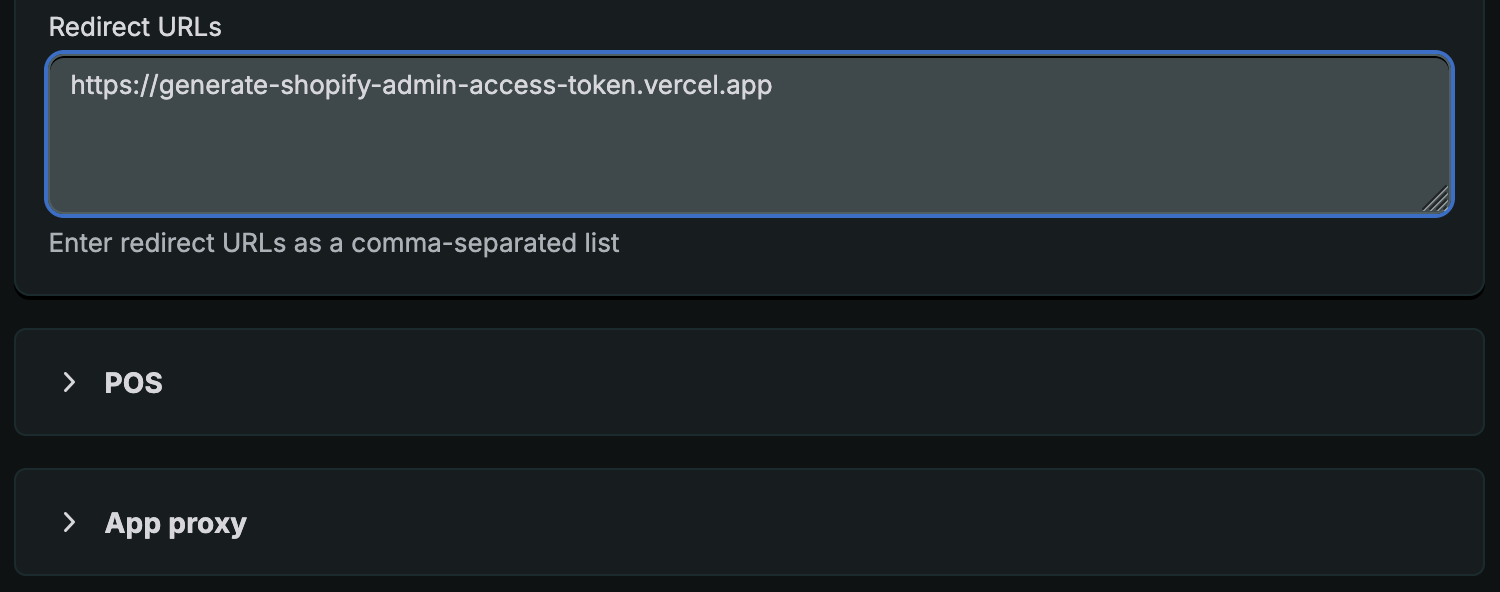
Step 1: Add Redirect URI
Add https://generate-shopify-admin-access-token.vercel.app to the list of Redirect URLs.
Step 2: Generate Token
Visit https://generate-shopify-admin-access-token.vercel.app/.
Enter your store domain, your app client id and your app secret.
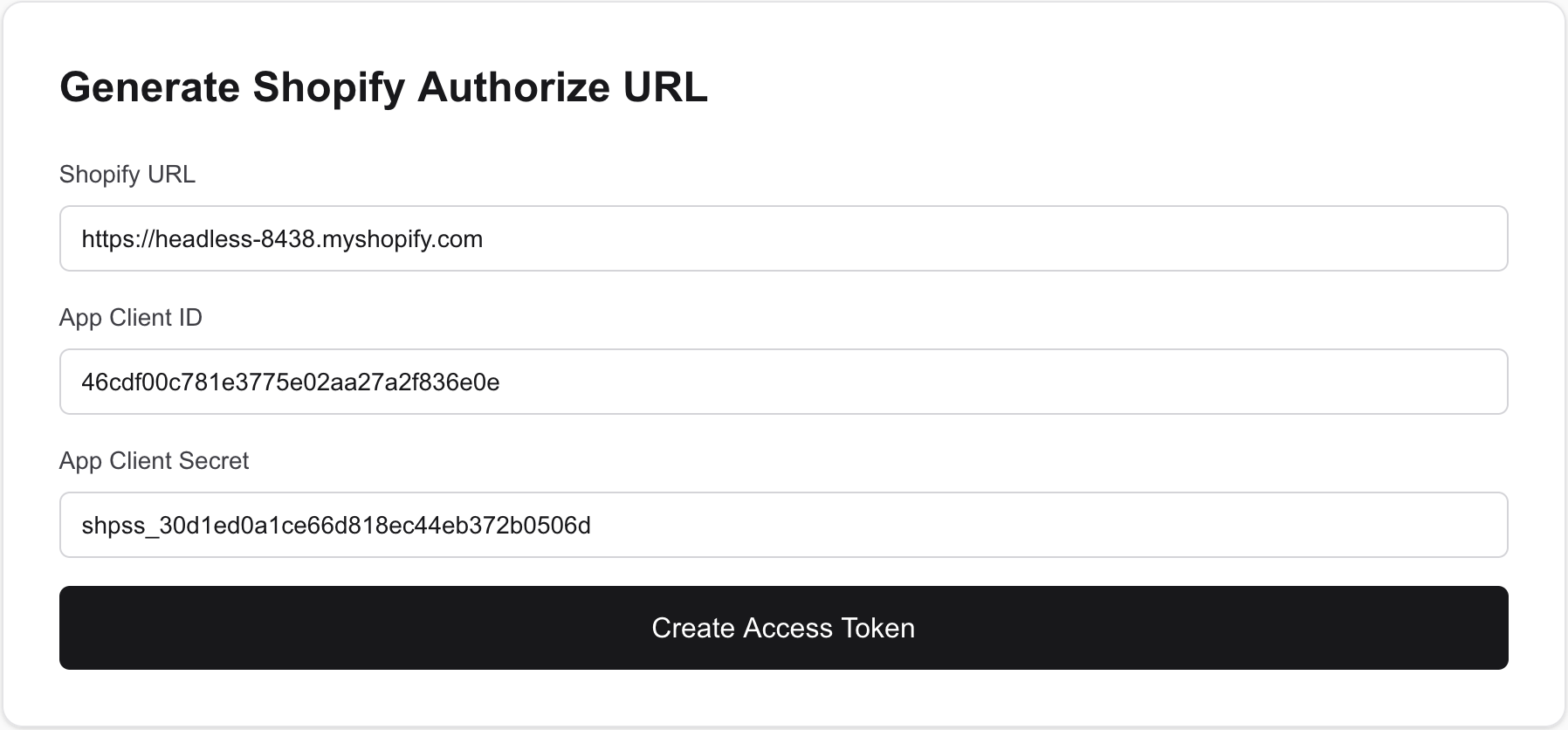
Submit the details to get your access token.
If you have already installed the app in your store, you will see the admin token immediately. If not, you will be first taken to the screen to install the app. Once you install the app, you will be automatically redirected to https://generate-shopify-admin-access-token.vercel.app and admin token will be displayed there.
