Next.js Setup Without create-next-app

In order to setup Next.js, it is very easy to start with create-next-app. This command sets up everything in a folder which you mention. Now, if you are person who would like to do everything from bits and pieces, there is also a way for that.
Install Dependencies
At first, create a folder to hold our project. Eg: nextjs-from-scratch.
In the terminal, navigate to this newly created folder. Initialize the folder as an NPM package using:
npm init -y
Add react, react-dom and next dependencies using:
npm install --save react react-dom next
You can also use yarn or pnpm to install these packages.
Run Scripts
In the package.json file, add the following run scripts:
"scripts": {
  "dev": "next dev",
  "build": "next build",
  "start": "next start",
  "lint": "next lint"
}
next dev starts our application in development mode. It supports hot reloading.
next build takes a production build.
next start starts a production server. In this command, we will use the production build.
next lint runs Next.js built-in ESlint configuration.
Folder Structure
Create a folder called pages at the root level. In Next.js page urls are constructed based on the folder and file structure inside pages folder.
For example, /pages/about.js creates a path called /about.
Create a public folder in the root for storing static asset. If we have an image logo.png under public folder, we can refer to it in our page using /logo.png.
First Page
In order to see the home page, create an index.js file under pages folder.
The index file should export a React component. For that, add the following code in index.js file.
const Home = () => <h1>Home page - Backbencher.dev</h1>;

export default Home;
In order to test our application, run npm run dev in the terminal.
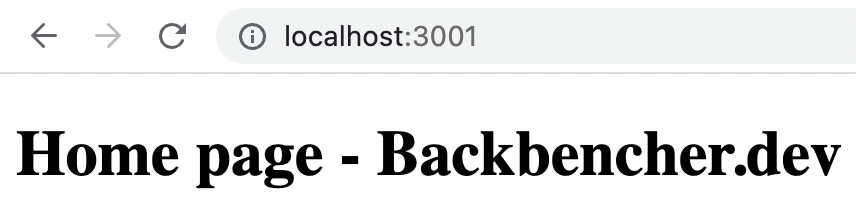
By default, the site will be running in localhost:3000 port. In my case, there was another app running in 3000 port. Therefore Next.js automatically tried in the next port number which is 3001.
Here is our home page:
When running Next.js in development mode, we also get following benefits:
- Auto compilation and bundling
- React fast refresh
- Static generation and server side rendering of
/pages - Static file serving through
/public - hot reloading on file update